Usage & Limits
Monitor your usage to ensure you stay within your plan limits and avoid service interruptions.
Usage Dashboard
View your current usage on:
- Dashboard - Quick overview
- Billing page - Detailed breakdown
Usage Metrics
Cases This Month
| Plan | Limit |
|---|---|
| Basic | 1/month |
| Starter | 5/month |
| Pro | 25/month |
| Enterprise | No monthly case cap |
How it’s counted:
- New cases created
- Resets on the 1st of each calendar month (UTC), on every plan
- Includes portal and manual cases
Admin Buffer: Cases created in the app can go a few beyond the limit that applies to the public portal:
- Basic: +1 extra
- Starter: +2 extra
- Pro: +5 extra
Storage Used
| Plan | Limit |
|---|---|
| Basic | 2 GB |
| Starter | 10 GB |
| Pro | 50 GB |
| Enterprise | 500 GB by default (more by contract) |
What counts:
- Uploaded documents
- Redacted versions
- All file types
What doesn’t count:
- System metadata
- Audit logs
- User accounts
Users
| Plan | Limit |
|---|---|
| Basic | 1 |
| Starter | 3 |
| Pro | 10 |
| Enterprise | 50 by default (more by contract) |
Counted as:
- Active users
- Pending invitations
Not counted:
- Removed users
Page Allowance and AI Allowance
AI features (PII detection, redaction, recommendations, risk analysis) are available on all plans. Two measures apply:
- Page allowance: document processing (text extraction, personal data detection and redaction) uses pages. Scanned pages (each PDF page, and each image as one page) and text pages (emails, Office and text files, counted at 2,500 characters of text a page) come out of one pool. Pages are counted each time a document is processed.
- AI allowance: case AI (suggestions, next-step guidance, risk assessment) does not use pages. It uses your AI allowance, shown on the Billing page as AI allowance used (a percentage). Document processing also counts towards it.
Reaching either one pauses the features it covers. Both reset on your billing date (your subscription anniversary), not on the 1st of the calendar month. A trial’s allowance covers the whole trial. Enterprise plans see the page allowance only.
| Plan | Page allowance |
|---|---|
| Free trial | 500 pages for the whole trial, whatever plan you chose |
| Basic | 125 pages a month |
| Starter | 1,250 pages a month |
| Pro | 5,000 pages a month |
| Enterprise | 60,000 pages a year by default, shared across all requests, under a fair-use agreement |
On yearly billing, Basic, Starter and Pro get twelve months’ pages pooled for the year (for example Pro: 60,000 pages a year), and the pool resets on your annual billing date.
As you approach the limit:
- At 80% of your pages: a warning email is sent, and the Billing page shows an amber note: “Document processing pauses when it is used up.”
- At 100% of your pages: a second email tells you the pages are used up. Document processing pauses until the allowance resets or you upgrade (in a trial, until you choose a plan). Files are not checked or redacted automatically.
- A document bigger than what is left: if a document needs more pages than you have left, it is not processed, even before you reach 100%.
- Files that could not be checked: on the upload page, files the allowance stopped from being checked are listed under Held back — not included. They are not attached, downloaded or saved. Click Include anyway only if you will redact the file yourself before sharing it.
- AI allowance used up (Basic, Starter, Pro and trials): all AI features pause until your billing date, including case AI.
Enterprise: you and the SAR Portal team are alerted at 100% of your page allowance. Processing continues up to 150% of the allowance; then document processing pauses until the allowance is reviewed with your account manager.
Monitoring Usage
Dashboard Widget
The dashboard shows:
- Cases used / limit
- Storage used / limit
- Visual progress bars
- Warnings when approaching limits
Billing Page
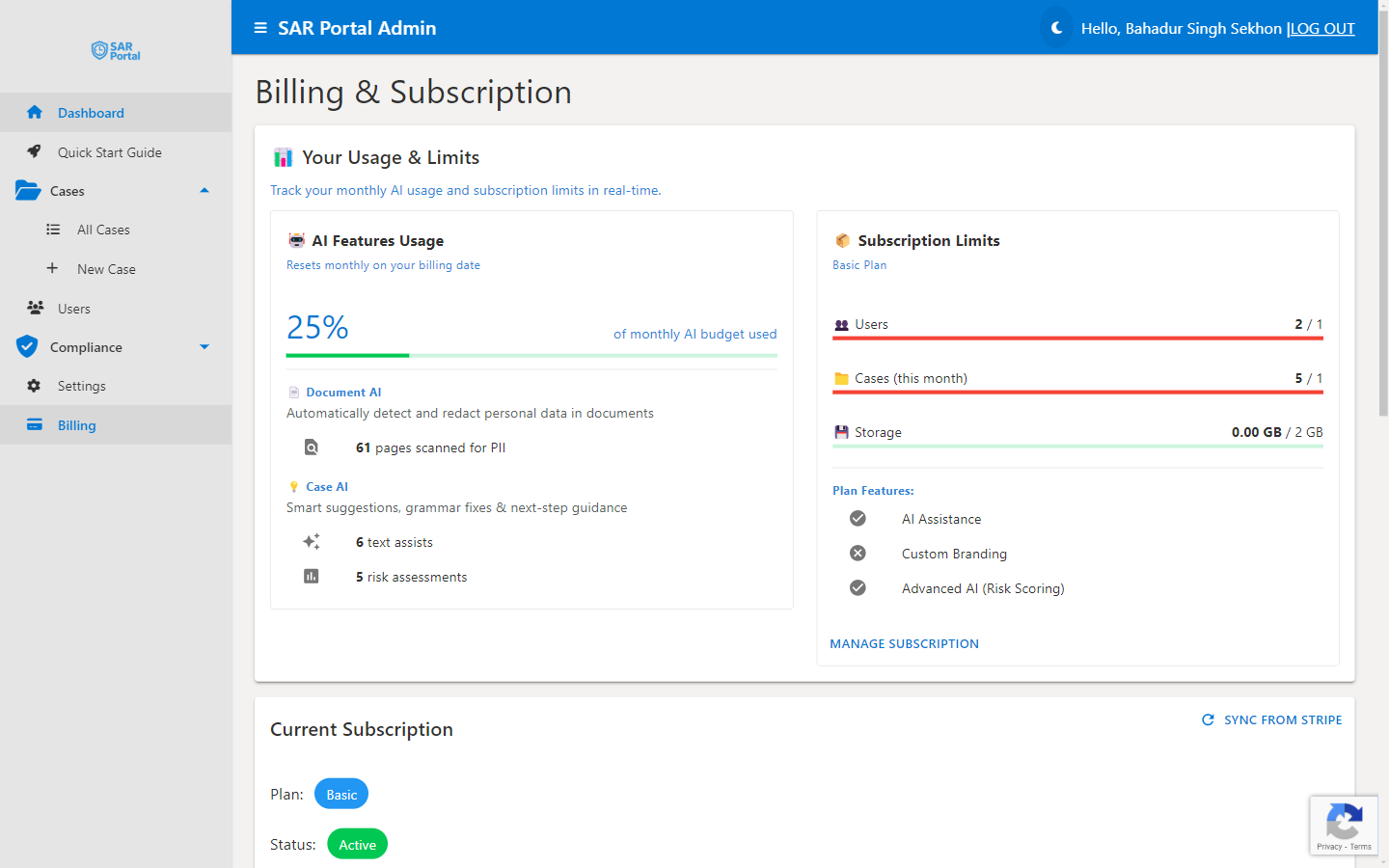
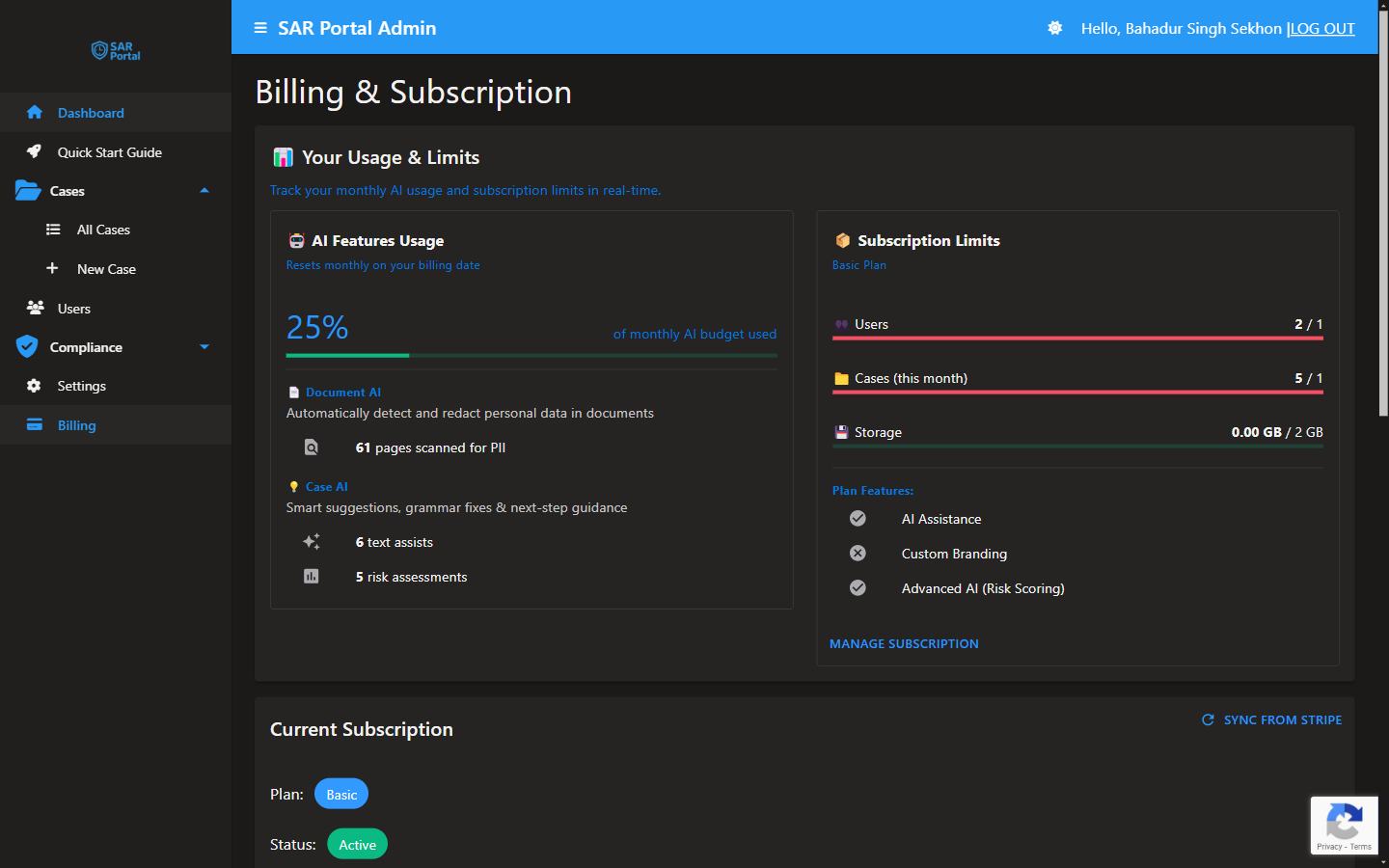
Your Usage & Limits covers the current billing period:
- AI allowance used (a percentage)
- Page allowance: pages processed out of your allowance, pages left and the reset date, split into scanned pages and text pages
- Documents processed and Documents redacted
- By document type: the share of your plan used by each type of document, and by case AI
- Plan Limits: Users, Cases this month and Storage
Approaching Limits
Warnings
You’ll see warnings when:
- 80% of case limit used
- 80% of storage used
- 80% of your page allowance used (email, and a note on the Billing page)
- AI allowance running low
At the Limit
Cases:
- The public portal shows “Unable to submit request at this time. Please contact the organization directly for assistance.”
- The admin buffer lets you create a few more in the app
- New month resets counter
Storage:
- New uploads blocked
- Existing files accessible
- Deleting a document does not free space: it is kept so it can be restored, and still counts
Users:
- New invitations blocked
- Existing users unaffected
- Remove unused accounts
Pages and AI:
- Document processing pauses when the page allowance is used up; all AI features pause when the AI allowance is used up
- Files are not redacted automatically; on the upload page they are held back until you click Include anyway
- A banner tells you when this happens
- The allowance resets on your billing date (or upgrade for more now)
Managing Usage
Reducing Case Count
Can’t reduce - the counter resets on the 1st of each calendar month (UTC).
Plan ahead:
- Estimate monthly volume
- Upgrade if regularly exceeding
- Time non-urgent cases around the start of the month
Reducing Storage
Storage counts every file stored for your organization, including deleted documents: when an Admin clicks Delete on a document, it is kept so it can be restored, so the storage figure does not go down. To keep storage low, upload only what the request needs, and upgrade if you regularly need more.
Reducing Users
- Go to Users
- Click Delete on accounts that are no longer needed
- Pending invitations count too: delete the ones that will not be accepted
Managing AI Usage
- Check your pages left and AI allowance used on the Billing page
- Remember that pages are counted each time a document is processed, so avoid processing the same document twice
- Long emails and Office files count by their text: 2,500 characters is one page
- The allowance resets on your billing date (monthly or yearly)
Upgrading for More
If regularly hitting limits:
- Go to Billing
- Click View Plans
- Click Upgrade to plan
- Choose Monthly or Annual in Choose Billing Cycle, then click Continue to Payment
- The new limits apply immediately
See Plans & Pricing for more on changing plans.
Usage Best Practices
For Cases
- Estimate monthly volume accurately
- Upgrade before you run out
- Use admin buffer only for urgent cases
For Storage
- Upload only the files a request needs
- Use appropriate file sizes
- Compress images before upload
For Users
- Only invite those who need access
- Remove users when people leave
- Use appropriate roles (not everyone needs Admin)
For AI
- Prioritize AI for complex documents
- Manual review for simple cases
- Monitor your allowance throughout the billing period
Billing Date
Your billing date (your subscription anniversary) determines when:
- Your page allowance and AI allowance reset (monthly on monthly plans, yearly on yearly plans)
- The recurring charge processes
Find your billing date on the Billing page.
Questions?
If you need:
- More cases than your plan allows
- More storage
- Custom limits
Contact support@sarportal.com to discuss Enterprise options.